ReimeiTech
REIMEITECH.
← SaaS & Product
Service · Multi-Tenant SaaS Development
Multi-Tenant SaaS Development

Build SaaS Platforms forMultiple Customers, Teams,and Organizations.

ReimeiTech builds multi-tenant SaaS platforms with organization accounts, secure data separation, user roles, team workspaces, admin dashboards, subscription logic, and scalable backend architecture.

Not "one app per customer." One product, many organizations — each with isolated workspaces, separated data, role-based permissions, and per-tenant billing.

Tenant IsolationOrganization AccountsTeam WorkspacesRole-Based AccessSaaS BackendAdmin DashboardSubscription Billing
Scroll
02Definition

What Is Multi-Tenant SaaS?

Multi-tenant SaaS is a software architecture where many customers or organizations use the same application, but each tenant has its own users, data, permissions, settings, billing, and workspace.

One SaaS platform may serve hundreds of companies. Each company logs into the same product, but only sees its own data, users, reports, files, and account settings.

What you'd outgrow

Single-User App

  • One user or one company uses the product
  • All data in one place
  • No tenant boundaries
  • No organization accounts
  • Cannot scale to many customers

Useful for personal tools or single-company internal apps. Cannot become a real SaaS business.

What we build

Multi-Tenant SaaS

  • Many organizations use the same product
  • Separated workspaces per tenant
  • Tenant-aware data access
  • Per-organization permissions
  • Per-organization billing
  • Tenant-specific settings
  • Platform admin + tenant admin layers
  • Scales to hundreds of customers

The architecture every SaaS business needs once it serves more than one customer organization.

03The problem

When a SaaS Product Needs to Support More Than One Customer.

Multi-tenant SaaS architecture helps your platform support many customers without creating a separate app for each one.

Many customers

"Three customers asked for the product last week. We're maintaining three forks."— the moment every SaaS realizes it needs multi-tenancy.

Each customer needs a separate workspace
Users must only see their own company data
Admins need to manage teams and permissions
Billing needs to work per organization
Data must not leak between customers
Different clients need different settings
The backend must support many accounts
The admin team needs platform-wide control
The product needs to scale beyond one company
04What we build

Multi-Tenant SaaS Platforms We Can Build.

B2B SaaS Platforms

B2B SaaS Platforms

SaaS products built for companies, teams, departments, or business customers.

  • CRM SaaS
  • Operations SaaS
  • Reporting SaaS
  • Workflow automation SaaS
  • Client management SaaS
  • Agency platform SaaS
Client Portal SaaS

Client Portal SaaS

Platforms where each client gets a private workspace to access files, reports, updates, tasks, messages, or dashboards.

  • Agency client portal
  • Financial client portal
  • Healthcare client portal
  • Consulting client portal
  • Project status portal
Team Workspace Platforms

Team Workspace Platforms

SaaS systems where organizations can invite team members, assign roles, manage shared data, and collaborate inside one workspace.

  • Team dashboard
  • Project workspace
  • Internal operations platform
  • Collaboration SaaS
  • Employee workflow system
AI Multi-Tenant SaaS

AI Multi-Tenant SaaS

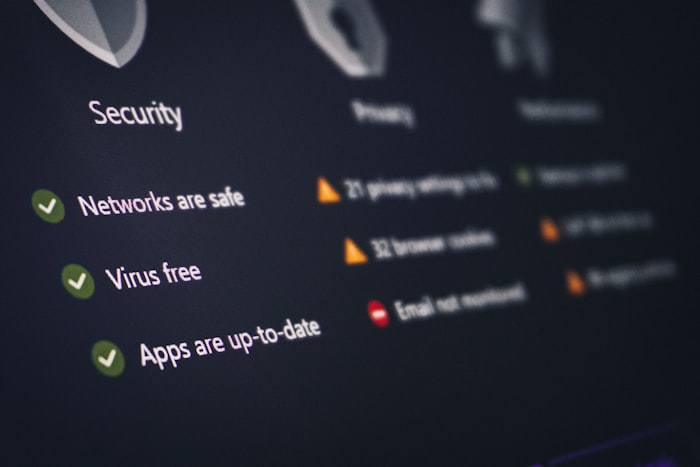
AI-powered SaaS platforms where each customer has separate knowledge, files, AI usage, reports, users, and settings.
  • AI reporting SaaS
  • RAG knowledge base SaaS
  • Document AI SaaS
  • AI customer support SaaS
  • Internal copilot SaaS
  • AI workflow automation SaaS
White-Label SaaS Platforms

White-Label SaaS Platforms

SaaS platforms where different clients, agencies, or partners can use the same system with their own branding, users, settings, and data.

  • White-label reporting platform
  • Agency SaaS product
  • Partner portal platform
  • Client dashboard system
  • Reseller SaaS platform
05Core features

Core Features We Can Build.

Multi-tenant SaaS is not "login and dashboard." It's about safe separation and scalable structure.

Organization accounts
Tenant workspaces
User invitations
Team management
Role-based access
Admin roles
Member roles
Billing owner roles
Tenant-specific settings
Tenant-specific dashboards
Secure data separation
Organization-level permissions
Platform admin dashboard
Tenant admin dashboard
Subscription billing
Usage limits
Activity logs
Audit trails
File storage by tenant
API access by tenant
Custom branding
Notifications
Tenant onboarding
06Architecture

How a Multi-Tenant SaaS Platform Works.

A strong multi-tenant SaaS platform needs clear tenant boundaries, secure permissions, database strategy, workspace logic, billing rules, admin controls, and monitoring.
Architecture

"One platform. Many tenants. Zero data leaks."

Tenant layer
Tenant
Company A
Users
Data
Settings
Billing
Tenant
Company B
Users
Data
Settings
Billing
Tenant
Company C
Users
Data
Settings
Billing
Platform Admin
Manage tenantsMonitor usageReview billingSystem logs
Security Layer
AuthenticationRole-based accessTenant isolationAudit logs
07Tenant isolation

Tenant Isolation: Keeping Customer Data Separated.

In multi-tenant SaaS, tenant isolation is one of the most important parts of the architecture. Each organization should only access its own users, records, files, reports, settings, and billing data.

Tenant isolation

"Every request should know which tenant it belongs to."

Organization-level data boundaries
Tenant-aware database queries
Workspace-specific permissions
File storage separation
Tenant-specific API access
Restricted admin access
Activity logging
Access validation
08Database design

Multi-Tenant Database Strategy.

The right database approach depends on your product type, security needs, customer size, compliance expectations, reporting requirements, and scalability plan.
Database strategy

"Four database strategies. We pick the one that fits your product, scale, and security needs."

Approach comparison
ApproachBest forNotes
Shared database with tenant IDMost early-stage SaaS productsEfficient and common for MVP to growth stage
Separate schema per tenantMore isolated enterprise customersMore complex but stronger separation
Separate database per tenantHigh-security or enterprise use casesStrong isolation but more operational overhead
Hybrid modelSaaS products with mixed customer tiersFlexible for growth and enterprise plans
09User roles

User Roles Inside Each Tenant.

A company owner manages billing and users · an admin manages workspace settings · a team member uses product features · a viewer only sees reports · a guest accesses limited shared resources.

User roles

"Nine roles. Ten permissions. One source of truth per tenant."

Roles per tenant
Owner
Admin
Manager
Team member
Viewer
Billing manager
Support user
External client
Guest user
Configurable permissions
Invite usersRemove usersManage billingUpload filesView reportsEdit recordsExport dataManage integrationsAccess admin settingsView audit logs
10Two admin layers

Platform Admin and Tenant Admin Controls.

Multi-tenant SaaS usually needs two admin layers — one for your team to manage the platform, one for each customer to manage their workspace.

Platform admin
Platform Admin
Used by your team

Manage the entire SaaS product

All tenantsSubscription statusUsage metricsSystem settingsSupport accessFeature flagsPlatform analyticsGlobal error logs
Tenant admin
Tenant Admin
Used by each customer

Manage their own workspace

Team membersRolesWorkspace settingsFilesReportsBilling detailsIntegrationsTenant activity
11Tenant onboarding

Tenant Onboarding Flow.

Onboarding

"From signup to active workspace — 8 steps, fully self-service."

01
Company signs up
02
Create organization
03
Choose plan
04
Invite team members
05
Set roles
06
Configure workspace
07
Connect integrations
08
Use SaaS dashboard
12Subscription billing

Subscription Billing for Multi-Tenant SaaS.

A tenant can subscribe to a monthly plan, invite team members, access features based on plan level, and manage billing from its own workspace.

Billing

"Per-tenant billing. Per-tenant plans. Per-tenant invoices."

Organization-level subscriptions
Stripe customer records
Plans and pricing tiers
Trial periods
Subscription status
Seat-based billing
Usage-based billing
Plan limits
Upgrade / downgrade flow
Invoice access
Billing owner role
Payment failure handling
13White-label

Tenant-Specific Settings and Branding.

White-label

"One codebase. Many brands. Each tenant looks like its own product."

Tenant settings
Company name
Logo
Brand color
Workspace URL
Custom dashboard settings
Notification preferences
Feature toggles
Report templates
Integration settings
User invitation settings
Best for
  • Agency SaaS
  • Client portal SaaS
  • Partner platforms
  • White-label reporting tools
  • Enterprise customer workspaces
14AI multi-tenant

Building AI Features Into Multi-Tenant SaaS.

In a RAG SaaS platform, Company A should only get answers from Company A's documents, while Company B should only get answers from Company B's documents.
AI multi-tenant

"Each tenant's AI knows only its own knowledge — never another tenant's."

Tenant-specific AI knowledge base
Tenant-specific document uploads
AI usage tracking
Model cost monitoring
Prompt configuration
Source citations
Tenant-specific RAG pipelines
AI answer history
Human review controls
Data privacy boundaries
15Security

Security Built Into the Multi-Tenant Foundation.

Multi-tenant SaaS requires strong security because many customers share the same platform. Data separation, access control, audit logs, and secure APIs must be planned from the start.

Security

"The system must protect every tenant from seeing another tenant's data."

Secure authentication
Role-based access control
Tenant isolation
Organization-level permissions
Protected API routes
Encrypted storage
Secure file handling
Audit logs
User activity tracking
Admin permissions
Input validation
Session management
Environment protection
Error monitoring
Data export controls
16Dashboards

Dashboards We Can Build.

Tenant Dashboard

Tenant Dashboard

The main workspace where each customer organization manages its own data, users, reports, files, and product activity.

Tenant Admin Dashboard

Tenant Admin Dashboard

A control area where each customer manages team members, settings, billing, integrations, and workspace permissions.

Platform Admin Dashboard

Platform Admin Dashboard

A global admin area where your team manages tenants, plans, usage, errors, support requests, and platform-wide settings.

Usage Dashboard

Usage Dashboard

A dashboard for tracking subscription usage, AI usage, seats, storage, API requests, reports, or activity volume.

17Integrations

Integrations for Multi-Tenant SaaS.

Each tenant may need separate integration credentials, separate synced data, and separate connection settings.

Integrations

"Each tenant connects its own tools. Credentials never cross."
Integrates with
StripeHubSpotSalesforcePipedriveGoogle WorkspaceSlackMicrosoft TeamsZapierMaken8nOpenAIClaudeGeminiAirtableNotionGoogle SheetsCustom APIsCustomer databases
Tenant-scoped actions
  • Connect CRM per tenant
  • Send tenant-specific notifications
  • Sync data by organization
  • Track usage by workspace
  • Manage billing by company
  • Store files by tenant
  • Generate reports per customer
18Deliverables

What You Receive.

Deliverables

"A multi-tenant SaaS platform, deployed, ready for customer #1, #50, and #500."
01Multi-tenant architecture design
02Organization and workspace setup
03Tenant-aware database structure
04Authentication system
05Role-based access control
06Tenant isolation logic
07User invitation system
08Tenant admin dashboard
09Platform admin dashboard
10Subscription billing setup
11Plan and usage limit logic
12Tenant settings
13Secure API structure
14Activity logs
15Audit logs
16File storage by tenant (if needed)
17AI tenant separation (if needed)
18Integrations by tenant (if needed)
19Testing and QA
20Deployment
21Documentation
22Post-launch scaling roadmap
19Technology

Technology We Use.

Tech stack

"The stack that scales with your tenant count — not the trendiest framework of the month."

Frontend
ReactNext.jsTypeScriptTailwind CSS
Backend
PythonFastAPINode.jsExpress
Database
PostgreSQLMongoDBRedisSupabasepgvector
Authentication
ClerkAuth.jsSupabase AuthCustom auth
Billing
StripeSubscriptionsSeat-based billingUsage-based billing
AI
OpenAIClaudeGeminiEmbeddingsRAGTenant-specific AI workflows
Integrations
CRM APIsGoogle WorkspaceSlackEmailWebhooksCustom APIs
Cloud
AWSVercelDockerCI/CD
Security
RBACTenant isolationSecure APIsEncrypted storageAudit logs
20Demo

Example Multi-Tenant SaaS Demo.

Demo
Recommended demo

AI Reporting Platform for Agencies.

Agency signs up, creates a workspace, invites team members, adds clients, generates client-specific AI reports, and manages access from one multi-tenant platform.

01
Agency creates account
02
Agency workspace created
03
Agency invites team
04
Adds client workspaces
05
Separate client reports
06
AI generates summary
07
Agency reviews report
08
Platform admin tracks usage
21Industries

Who Multi-Tenant SaaS Development Is For.

Startup founders

Startup founders

Build SaaS products that can support multiple paying customers.

Agencies

Agencies

Create client portals, reporting platforms, white-label dashboards, and client workspaces.

Healthcare companies

Healthcare companies

Build secure organization-based portals, staff dashboards, intake systems, and workflow tools.

FinTech companies

FinTech companies

Build client dashboards, reporting platforms, document portals, and secure account-based systems.

AI product founders

AI product founders

Build AI SaaS platforms where each customer has separate documents, data, prompts, usage, and reports.

Local businesses

Local businesses

Turn internal tools into software products for multiple customers, branches, or partner organizations.


22Process

How We Build Multi-Tenant SaaS Platforms.

Product & tenant model planning
Step 01

Product & tenant model planning

We define who the tenants are, what each tenant owns, and how users, roles, data, billing, and settings should work.
Architecture design
Step 02

Architecture design

We design the frontend, backend, database, authentication, tenant isolation, permissions, and deployment structure.
Dashboard & workflow design
Step 03

Dashboard & workflow design

We map tenant dashboards, platform admin screens, user invitations, billing flows, and product workflows.
Development
Step 04

Development

We build the SaaS frontend, backend API, database, authentication, tenant logic, dashboards, and integrations.
Security & isolation testing
Step 05

Security & isolation testing

We test user roles, tenant boundaries, protected routes, data access, billing access, and edge cases.
Deployment
Step 06

Deployment

We deploy the platform to a production-ready environment.
Post-launch scaling
Step 07

Post-launch scaling

We improve performance, billing, analytics, AI features, integrations, and enterprise readiness over time.
23What this is not

What Multi-Tenant SaaS Development Is Not.

Strikethrough

"Build a SaaS platform where many organizations can use the same product safely."

Only a login system
Only a dashboard
A single-company internal app
A prototype with no data separation
A SaaS product where every customer shares the same data
24FAQ

Frequently Asked Questions.

A SaaS architecture where many customers or organizations use the same application, but each tenant has its own users, data, permissions, settings, billing, and workspace. One product serves hundreds of companies — each one only sees its own data.
Start your multi-tenant SaaS / 26

Ready to Build a
Multi-Tenant SaaS Platform?

Tell us who will use your SaaS platform, how customers should be separated, what roles are needed, and what each tenant should be able to manage. We'll help you design and build a secure multi-tenant foundation that can scale.